A hopper pulls items from a container directly above it and pushes items into the container its spout points toward. It does not need a redstone signal. Powering it stops its own item transfers.
Connect two chests
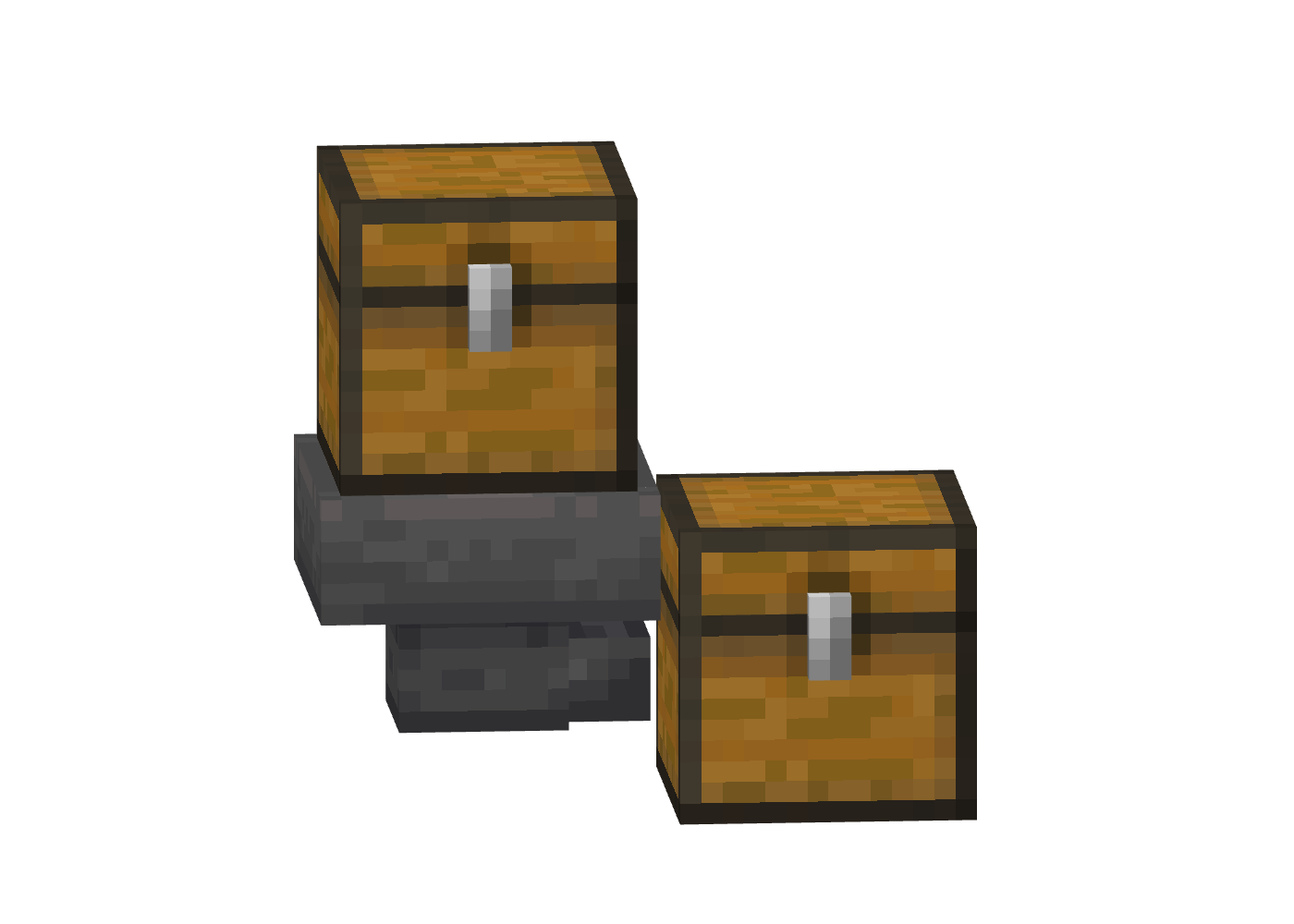
- Place the receiving chest.
- Sneak while placing a hopper against the chest. Check that the small spout points into it.
- Place another chest directly above the hopper.
- Put items in the upper chest. Leave space in the receiving chest and keep the hopper unpowered.
The hopper can point sideways or down. Its output direction does not change where it pulls from: the input container is still above it.
 Craft Hopper
5 × Iron Ingot + 1 × Chest → 1 × Hopper


Ingredients
Why did the hopper stop?
| What you see | What to check |
|---|---|
| Items sit in the upper chest | Check for redstone power reaching the hopper, then check whether its five slots are full. |
| Items sit inside the hopper | Check the spout direction and the receiving container’s available slots. |
| A hopper beside a chest takes nothing | Hoppers pull from above. A hopper beside a chest can push into it, but cannot pull sideways from it. |
| Items above it are not collected | A full solid block above the hopper can block collection. Remove that block, then drop the item into the hopper’s open top. |
| A powered hopper still gains or loses items | Power stops that hopper’s own actions. Another hopper can still push into it or pull from it. |
A hopper normally moves one item between inventories per eight game ticks: 2.5 items per second at the normal 20 ticks per second. Picking up a dropped stack is different; the hopper can collect more than one item at once if it has room.
Feed a furnace
Use a hopper above a furnace for the ingredient, one pointing into its side for fuel, and one below it for the result. A smoker or blast furnace uses the same basic arrangement, but accepts different recipes.
An item reaching the wrong side can leave the machine idle even when it has fuel and ingredients elsewhere. Check the slot inside the furnace before changing the redstone. The smelting guide explains station choices; furnace changes covers bucket returns and automation.
Stop a hopper on purpose
Power the hopper with a lever or a redstone circuit to pause its own transfers. Turn the power off to resume. For a machine that releases one item each time you trigger it, use a dropper; see dropper versus dispenser.